
Family Dining · Practical guide
Janpara
Used iPhones, MacBooks, GPUs and Tax-Free Shopping Across Japan
Prices, ordering steps, payment details, and common mistakes — in one place.
Quick Facts
| Category | Detail |
|---|---|
| Japanese name | じゃんぱら (Janpara) |
| Brand Name | Janpara / じゃんぱら (株式会社じゃんぱら / Janpara Co., Ltd.) |
| Store Type | Japanese chain selling used, unused and new computers, smartphones, PC components, cameras and audio equipment, with device-buyback services. |
| Target Audience | Tech enthusiasts, PC builders, digital nomads, and travelers hunting for high-spec used MacBooks, iPhones, iPads, GPUs, and camera gear |
| Ordering Style | Search the website or store shelves by model, used condition grade and included accessories; ask to inspect the exact item before paying. Demonstrations depend on product and staff availability. |
| Membership Required? | Membership is not required for ordinary purchases or the basic product warranty. Qualifying used goods can receive a longer warranty after Janpara membership registration. Eligible nonresident tax-free shoppers must provide the identification required by Japan’s current rules. |
| Verified Price Examples (November 12, 2026) | Used MacBook Air 13-inch M2, 8GB/256GB, silver: from ¥81,980; used NVIDIA GeForce RTX 4070 12GB: from ¥95,980; used Japanese-market SIM-free iPhone 13 128GB, green: from ¥29,980; used Sony VLOGCAM ZV-E10 body, black: ¥59,980 at listed stores; used Sony Walkman NW-A306 32GB, blue: from ¥36,980 (all displayed prices include tax; listings, branches and stock change). Tax-free eligibility normally starts from ¥5,000 excluding tax at a participating store. |
| Multilingual Support | Janpara publishes an English- and Chinese-language tax-free information page. It does not guarantee staff fluent in these languages or bilingual inspection labels at every branch. |
| Payment Methods | Janpara’s in-store FAQ lists cash (JPY), Visa, Mastercard, JCB, American Express, Diners Club, UnionPay, J-Debit, JCB PREMO, Suica/PASMO/ICOCA and other supported transport IC (except PiTaPa), QUICPay, iD, PayPay, Rakuten Pay, d-Barai, au PAY, J-Coin Pay, BankPay, Merpay (via iD), Alipay and WeChat Pay. Web checkout differs; confirm any branch or combination restrictions before paying. |
| Store Network | Janpara operates more than 60 shops across Japan, including Akihabara and locations in Tokyo, Osaka, Nagoya, Kyoto, Sapporo and Fukuoka. Check each branch’s official location, opening status and hours before visiting; store-directory entries can lag announced openings and closures. |
What it is
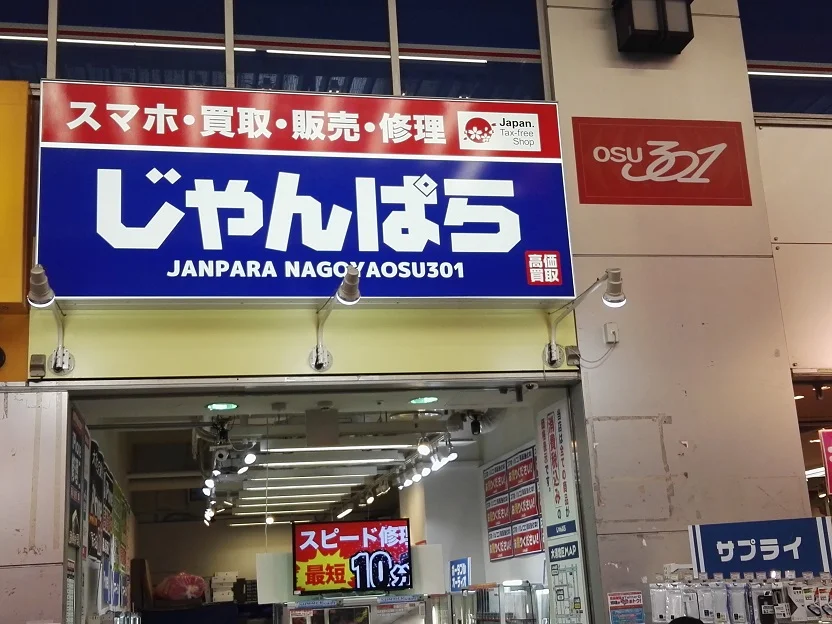
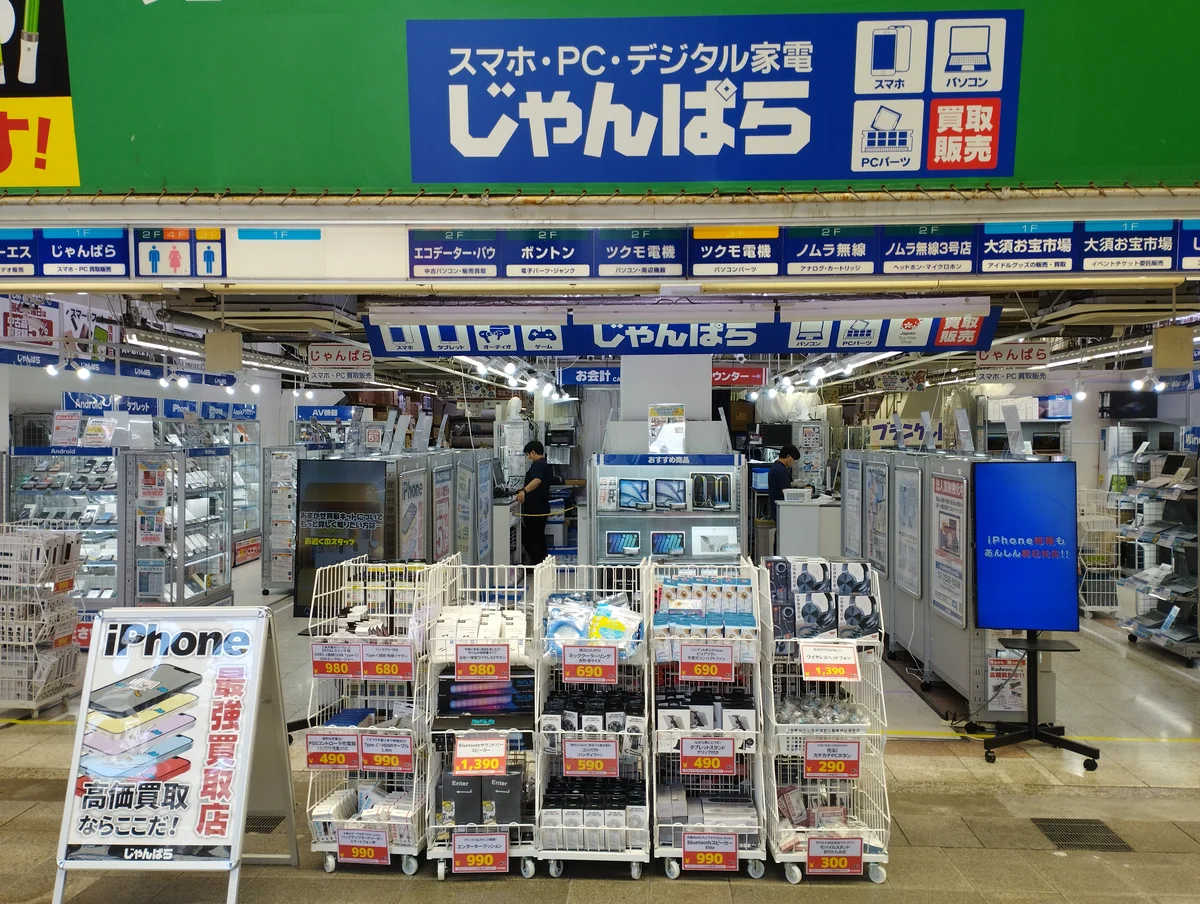
Janpara (株式会社じゃんぱら) is a Japanese used-electronics retailer selling PCs, smartphones, cameras, PC parts and audio equipment. The company dates to 1997 and operates across major Japanese electronics shopping districts. Check the official locator and individual shop notices for current locations and hours. Its online inventory search distinguishes used, unused and new products and lets shoppers filter used stock by A, B, C or D rank and by accessories included. Product grades and limited warranties are not a guarantee that every used device is cosmetically perfect or has a new battery.
For visitors, Janpara’s official FAQ confirms tax-free sales at all stores, a meaningful advantage when traveling beyond Tokyo. Akihabara has six named stores, including the Main Store and 2nd–5th stores and D-Style; the official category table shows that product assortments differ by store, so search the individual branch before visiting. The purchase receipt is the warranty document. Standard warranty periods depend on the item (often one month for used phones, computers and cameras, or one week for used PC parts), with eligible members offered an extension; return or exchange cases are handled through the selling shop. Janpara’s FAQ limits overseas purchasing and support, so buyers should resolve overseas-use compatibility and warranty logistics before leaving Japan.
How to order
Step 1: Choose the Right Shop, Not Just the Nearest Shop
Janpara lists six stores in the Akihabara area: Akihabara Main Store, Akihabara 2nd, 3rd, 4th and 5th stores, and D-Style Akihabara. They are separate outlets with different category mixes. The store directory also lists branches in Shinjuku, Nakano Broadway, Osaka Namba and Nipponbashi, Kyoto, Nagoya, Sapporo and Fukuoka.
- Check Janpara’s live official store map for the address, opening hours and the item you need; hours and stock are not the same at every location.
- Its website can show store-limited stock, including items not available to ship. If the exact used item matters, find the store holding it before making the trip.
- Do not assume a particular Akihabara branch is dedicated only to GPUs or only to cameras: use the category matrix and current shop listing.
Step 2: Read the Individual Item’s Rank, Accessories and Warranty
Janpara’s official inventory distinguishes new (新品), unused (未使用) and used (中古); used stock can be filtered by A, B, C or D rank, and accessory completeness as all, some or none. A sample official ZV-E10 listing specifies rank A, accessory omissions, a particular store, a one-month warranty and sometimes the shutter count. That level of individual description is useful, but it is not a promise that every device has a printed battery percentage, an actuation count or all accessories.
- Rank A can mean little visible wear, as in the official example; B, C and D need their specific item descriptions. Never interpret a rank as “100% fully functional” or battery health at a given percentage without checking the actual product record.
- バッテリー最大容量 means battery maximum capacity. Check the settings or item details when available rather than assuming it appears on every tag.
- 付属品 means included accessories. A Japanese-keyboard MacBook, a missing charger or the wrong power cable may matter more than cosmetic grade alone.
- The warranty period on the receipt governs the purchase. Janpara says the usual warranty is one month on qualifying used phones and PCs, but used PC parts normally have a one-week period. The member extension can reach three months or one month respectively on eligible items, depending on conditions.
Step 3: Inspect the Exact Item Before Checkout
- Ask staff: "Kore wo misete kudasai" (Please show me this). Check the specific unit’s grade, storage, model identifier, price and listed accessories.
- If staff permit a hands-on test, check screen, ports, keyboard, battery settings or audio output as relevant. Do not assume every showroom permits a full bench test or a GPU stress test on demand.
- For MacBooks, inspect the physical keyboard for a JIS Japanese layout or US English layout. Ask about the correct power adapter and included cable.
- For phones, check the official SIM-free/network status on the item. An unlocked phone still needs compatible cellular bands, SIM/eSIM and your overseas carrier’s service requirements; a clean network status is not a universal global connection guarantee.
- Keep the original Janpara receipt and accessories for any defect claim. The retailer’s warranty terms call for contacting the original selling store and taking or sending the product back there if a fault develops.
Step 4: Checkout and the November 2026 Tax-Refund System
- Janpara’s official FAQ states that tax-free sales are offered at all its stores. Check the shop’s current procedure before paying and present the original passport or other permitted identification for an eligible nonresident tax-free purchase; the retailer’s English information page explains its passport policy.
- Eligible purchases generally total at least ¥5,000 excluding consumption tax at the same tax-free retailer on the same day under the Japanese scheme. Membership is not required merely to buy.
- Since November 1, 2026, Japan uses a refund-after-departure tax-free system. Pay the full tax-inclusive price at checkout. The store registers the purchase and necessary traveler information electronically. The old statutory separation into General Goods and Consumables no longer governs purchases.
- When you leave Japan within 90 days of purchase, complete export confirmation with Customs before checking in goods that may need inspection. Keep the goods and passport available, and follow the actual airport and Customs instructions rather than assuming you will always use a particular colored terminal outcome.
- The refund is paid later by Janpara or its designated refund provider, after the Customs confirmation reaches them, subject to the merchant’s stated procedure. A refund to the original card or cash at an airport kiosk is not guaranteed for Janpara purchases; ask for the exact payout route and any processing fees when buying.
- Electronics may generally be used in Japan under the new system, but they must be exported within the specified period. Keep packaging and accessories needed for warranty or Customs checks as appropriate.
What to order first
1. Apple MacBook Air & MacBook Pro (Apple Silicon)
- Japanese Name: 中古 MacBook Air / MacBook Pro (M1 / M2 / M3 / M4)
- Verified Example Price: Used MacBook Air 13-inch M2 (2022), 8GB RAM / 256GB SSD, silver, listed from ¥81,980 tax included on Janpara’s nationwide search (checked November 12, 2026; unit and store may change).
- Why It Is Essential: Compare specific Apple Silicon models and the JIS versus US keyboard before buying. Janpara lists the device condition and accessories; the battery cycle count may be available for an individual device but is not guaranteed on every product tag. Compare the displayed used price with the current new-equipment price for the same configuration, then check battery settings, charger wattage and the receipt’s warranty period.
2. NVIDIA GeForce RTX Graphics Cards (GPUs)
- Japanese Name: 中古 グラフィックボード (NVIDIA GeForce RTX 4070 / 4080 / 4090)
- Verified Example Price: Used NVIDIA GeForce RTX 4070 12GB (GDDR6X) was listed from ¥95,980 tax included; other RTX 4070 makes and models have different listings (checked November 12, 2026).
- Why It Is Essential: Janpara carries used graphics cards suitable for PC upgrades, but inspect the exact manufacturer, card length, power connectors, VRAM specification, return terms and available accessories. The product grade alone does not prove how well the card performs under sustained load; ask what tests are documented for the particular unit. Used PC components may have a one-week standard warranty, so read the exact receipt and member conditions.
3. Used iPhones & iPads (SIM-Free Models Where Specified)
- Japanese Name: 中古 iPhone / iPad (SIMフリー / ネットワーク利用制限)
- Verified Example Price: Japanese-market SIM-free iPhone 13 128GB, green, appeared in Janpara’s used listings from ¥29,980 tax included (checked November 12, 2026; color, condition and network origin differ by unit).
- Why It Is Essential: Used Apple phones and tablets are a core Janpara category. Look at the individual device for SIM lock, network restriction result, battery maximum capacity when available and included charger. A network restriction mark is not a guarantee that the handset supports your overseas carrier’s bands or eSIM. Product availability differs by store, and the receipt or product listing determines the warranty period.
4. Compact Mirrorless Cameras & Vlogging Gear
- Japanese Name: 中古 ミラーレス一眼 / 高級コンデジ (Sony ZV-E10 / Canon PowerShot)
- Verified Example Price: Used Sony VLOGCAM ZV-E10 body, black, ¥59,980 tax included in several Janpara stock entries (official snapshot dated November 11, 2026; checked November 12; stock may sell out).
- Why It Is Essential: Janpara lists used Sony cameras with condition rank, store, warranty and specific included accessories. Its ZV-E10 records may explicitly mention missing SD cards, battery cables or a shutter count on individual units. Shutter-count data may be available for some units but not others. Check the exact package and memory-card needs before paying.
5. High-Resolution Portable Music Players & DACs
- Japanese Name: 中古 ハイレゾオーディオプレーヤー / ポータブルDAC
- Verified Example Price: Used Sony Walkman NW-A306 32GB, blue, listed from ¥36,980 tax included (checked November 12, 2026; store and condition vary).
- Why It Is Essential: Janpara’s catalog includes Sony Walkman and other audio gear. Compare battery condition, included cables and supported music formats on the actual unit. Testing the headphone jack or controls at the counter may be possible with staff permission, but the retailer does not promise unrestricted auditions for every used device.
Payment & practical info
- In-Store Payment: Janpara accepts cash (Japanese yen), Visa, Mastercard, JCB, American Express, Diners Club, UnionPay, J-Debit, JCB PREMO, transport IC including Suica/PASMO/ICOCA (not PiTaPa), QUICPay, iD, PayPay, Rakuten Pay, d-Barai, au PAY, J-Coin Pay, BankPay, Merpay via iD, Alipay and WeChat Pay. The official FAQ states that QR payments cannot be combined with another payment method and that card combinations are restricted. Online checkout follows different rules.
- Tax-Free Purchase and 2026 Refund: Janpara’s FAQ says all branches offer tax-free sales. For eligible nonresident travelers, the usual minimum is ¥5,000 excluding tax at the same retailer on the same day. Since November 1, 2026, pay full tax-inclusive price first; arrange export confirmation within 90 days. Janpara or its provider issues any qualifying refund later using its specified method. Do not assume original-card reversal or cash at airport.
- Opening Hours: Branch-specific; consult Janpara’s official store locator for the exact day and shop. Some branches have different schedules, including shortened holiday hours.
- Keyboard and Carrier Check: On a used MacBook, verify the actual JIS or US keyboard and included USB-C or MagSafe adapter. For a smartphone, verify its SIM-free/network status, hardware bands, eSIM/SIM requirements, region-specific features and battery condition before buying for another country.
- Warranty and Overseas Use: The original purchase receipt functions as Janpara’s warranty document. Ordinary used phones/PCs often carry one month, used PC components one week; eligible member extensions vary. Fault claims go to the original selling store by visit or permitted return shipment. The official FAQ limits overseas purchasing and service, so do not count on an overseas guarantee.
- Sales Promotions: Prices and discounts depend on the individual model, condition, branch and promotion. Janpara can have store-only products; check the product listing and signage on the purchase date.
Good to know / Common mistakes
1. All-Store Tax-Free Service Is Real—Refund Timing Has Changed
Janpara’s own FAQ states that every branch accepts eligible tax-free sales. The shop where you purchase must still register the tax-free transaction properly. Under the system introduced November 1, 2026, you first pay the tax-inclusive amount and later obtain the refund through the selling retailer or its designated provider after Customs confirms export. Ask for the exact payout method and fees; an automatic card credit is not assured.
2. Used Electronics Can Be Used—They Must Leave Japan
The former General Goods label is obsolete under the new scheme. You can normally use a purchased laptop or camera while traveling, but qualifying tax-free goods must be taken abroad and customs-confirmed within 90 days of purchase. If you plan to check equipment into airline baggage, obtain the necessary Customs inspection beforehand. Keep the passport and the merchandise accessible.
3. Check the Laptop's Power Adapter, Keyboard and Warranty
Apple Silicon MacBook adapters often support worldwide input voltage, but verify the input-voltage label on the actual included charger; not every used laptop is supplied with its original adapter. Check its wattage and USB-C Power Delivery or MagSafe compatibility; any ordinary low-power USB-C charger is not necessarily sufficient. A Japanese two-pin plug may need an adapter, and buying a unit with a JIS Japanese keyboard is different from buying the US English layout. Keep the Janpara receipt and understand that support is restricted to its Japanese selling shop rather than automatically available overseas.
FAQ
Q1: Does Janpara inspect its used hardware and what warranty do I get?
A: Janpara displays condition grades and accessories for its individual used products; it does not publicly promise the same CPU, GPU, battery and wireless testing protocol for every item. Check the unit-specific description. The receipt states the warranty duration. A standard one-month warranty is common for used phones and PCs, versus one week for some used PC parts; eligible membership can extend specified periods. Faulty items are normally exchanged for an equivalent unit, with a refund possible when none is available, under the retailer’s terms. Contact the original selling shop and retain all accessories and proof of purchase.
Q2: How can I tell whether a MacBook has an English keyboard?
A: Ask to see the actual keys and check the listing for US (English) versus JIS (Japanese). Do not assume every shop has a fully bilingual keyboard label or can turn on every used computer immediately. Also check the included adapter, battery condition and warranty.
Q3: How does Janpara’s 2026 tax refund work?
A: Janpara says all its stores handle eligible tax-free sales. Since November 1, 2026, pay the full tax-inclusive price at the retailer and complete the prescribed Customs export confirmation within 90 days, before checking baggage when those goods may need inspection. The later refund comes from Janpara or a designated refund service using the retailer’s announced method, not automatically from the airport or necessarily to the original card.
Q4: Will a SIM-free phone or Janpara warranty work abroad?
A: Not automatically. Confirm the exact handset’s cellular frequency bands, SIM/eSIM, VoLTE and carrier rules separately from the SIM-free label. Janpara’s FAQ limits overseas purchases and support; keep your receipt and ask about the Japan-based selling-shop return process before departure.
Sources
- Janpara official homepage (checked November 12, 2026)
- Janpara official store locator and merchandise matrix (checked November 12, 2026; check individual shop opening status)
- Janpara official sales FAQ: all-store tax-free, payment methods and overseas limits (checked November 12, 2026)
- Janpara multilingual tax-free information (checked November 12, 2026; some published wording may predate the November 2026 change)
- Janpara warranty terms, receipt and original-store claims (checked November 12, 2026)
- Janpara member warranty extension FAQs (checked November 12, 2026)
- Janpara official products: used M2 MacBook Air price (checked November 12, 2026)
- Janpara official products: RTX 4070 price (checked November 12, 2026)
- Janpara official products: used iPhone 13 price (checked November 12, 2026)
- Janpara official stock: Sony ZV-E10 black body (retailer listing dated November 11, 2026; checked November 12)
- Janpara official stock: Sony Walkman NW-A306 (checked November 12, 2026)
- National Tax Agency: 2026 departure-refund tax-free system (checked November 12, 2026)
- Japan Customs: tax-free export inspection (checked November 12, 2026)